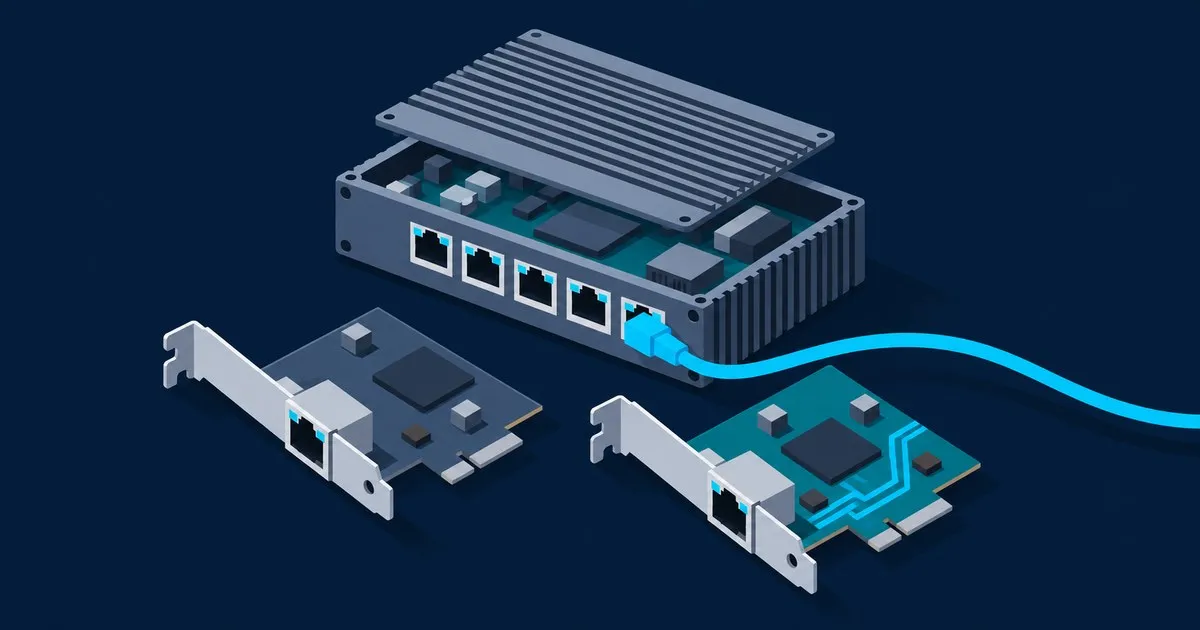
Realtek 2.5GbE driver on OPNsense explained in short: the stock FreeBSD re(4) driver still does not recognize the RTL8125, so OPNsense 26.7 needs the os-realtek-re plugin, which installs Realtek’s own vendor driver (realtek-re-kmod 1102.01) and loads it at boot. The newer native rge(4) driver exists in FreeBSD’s development branch but is not an OPNsense option yet.
Which driver handles the RTL8125 on OPNsense?
The vendor driver does, packaged as realtek-re-kmod and pulled in by the os-realtek-re plugin. It is the only one of the three that supports the RTL8125 and ships in OPNsense’s 26.7 package repository, which carries realtek-re-kmod-1102.01 and os-realtek-re-1.0 and no rge package.
| Driver | Origin | RTL8125 support | Status on OPNsense 26.7 | Interface name |
|---|---|---|---|---|
re(4) base | FreeBSD kernel | No | Built in, gigabit and older chips only | re0 |
realtek-re-kmod | Realtek vendor code, FreeBSD port | Yes, plus RTL8126 (5G) and RTL8127 (10G) | Installed by os-realtek-re, reboot required | re0 |
rge(4) | OpenBSD driver, FreeBSD main since Dec 2025 | Yes, plus RTL8126 and RTL8127 | Not in the 26.7 repository; port marked EXPERIMENTAL | rge0 |
FreshPorts lists the 2.5G variants the vendor driver covers: RTL8125, RTL8125B(G), RTL8125D, RTL8125K, RTL8125BP and RTL8125CP. The module replaces if_re.ko and keeps the re name, so an RTL8125 appears as re0 exactly like an old RTL8111 gigabit port.
Why can’t stock OPNsense see an RTL8125?
Because FreeBSD’s in-tree re(4) driver still does not support the RTL8125 family, and OPNsense stopped bundling Realtek’s own driver in January 2022. The OPNsense kernel includes all of FreeBSD’s drivers and nothing extra for Realtek, so FreeBSD’s gap is OPNsense’s gap. The os-realtek-re plugin exists to fill it.
The 22.1 release notes record the switch from the vendor driver “back to its FreeBSD counterpart which does not yet support the newer 2.5G models.” Two FreeBSD major versions later, “not yet” still holds: the re(4) manual page for FreeBSD 15.1 lists RTL8139C+, RTL8169, RTL816xS, RTL811xS, RTL8168, RTL810xE and RTL8111, and nothing from the 8125 family. OPNsense’s hardware documentation confirms “the hardware compatibility is the same” as FreeBSD’s.
On a fresh install, the symptom is an interface assignment prompt that finds no ports, or only the gigabit ones. Confirm it from the console shell:
pciconf -lv | grep -B1 -A2 -i realtekA device line whose name starts with none rather than re, sitting above the Realtek vendor string, means the controller enumerated on PCIe and no driver claimed it. That is a driver gap, not a dead port.
How to install os-realtek-re, even with no working NIC
With at least one working port, use the GUI: System → Firmware → Plugins, search realtek, install os-realtek-re, reboot. The plugin’s description says the driver “requires a system reboot to activate.” Per its source, it depends on realtek-re-kmod and writes two loader lines:
if_re_load="YES"
if_re_name="/boot/modules/if_re.ko"
Those lines point the loader at the module in /boot/modules instead of the kernel’s own re driver, which is why the plugin also takes over onboard RTL8111 ports that worked without it.
If every port is an RTL8125, there is no NIC to download the plugin with. A USB Ethernet adapter can bootstrap the GUI, but support on FreeBSD 15 is uneven. The cleaner route, suggested on the OPNsense forum and confirmed working by the original poster, is an offline install:
- On another machine, download
realtek-re-kmodandos-realtek-refrom the repository path matching your installed release. For 26.7 they are currentlyrealtek-re-kmod-1102.01.1501000_1.pkgandos-realtek-re-1.0.pkg; names change with rebuilds. - Copy both to a FAT32 USB stick.
- At the console, choose option 8 (Shell):
mount -t msdosfs /dev/da0s1 /mnt   # GPT sticks show as da0p1; check with gpart show
pkg add /mnt/realtek-re-kmod-1102.01.1501000_1.pkg
pkg add /mnt/os-realtek-re-1.0.pkg
umount /mnt
reboot- After the reboot, use console option 1 to assign the new
reinterfaces to WAN and LAN.
Confirm with kldstat | grep if_re and pkg info realtek-re-kmod. Base re(4) never attaches to an RTL8125, so any RTL8125 port named re0 is running the vendor driver. The rest of the sequence is in our OPNsense install and first boot guide.
The upgrade trap: 26.1 to 26.7
OPNsense 26.7 shipped on July 15, 2026 on “FreeBSD 15.1-RELEASE-p1 plus assorted stable/15 networking commits.” 26.1 ran on FreeBSD 14.3, per Thomas-Krenn’s driver table. A kernel module is built against a specific FreeBSD major version, so a major upgrade also has to swap realtek-re-kmod. If that step fails, the firewall reboots without NICs. The 26.7 release notes do not mention re(4) or the Realtek vendor module; their only Realtek entries concern the USB ure(4) driver.
It has already happened. In an August 2026 forum thread, a 26.1.11 upgrade on built-in Realtek 2.5GbE ports stalled during the Realtek driver install with repeated “failed waiting for configd” messages; a fresh 26.7.1 install plus configuration restore fixed it. A GitHub issue separately reports an onboard RTL8111E that stopped working in 26.1 and 26.7. Both are single-box community reports, and both point at the driver as the part that breaks on a new FreeBSD base.
Before a major upgrade on a Realtek box:
- Download a configuration backup from System → Configuration → Backups.
- Stage the target release’s two packages on a USB stick.
- Have console access (HDMI and keyboard, or serial). Never run a major upgrade remotely over the port whose driver is about to be replaced.
- Treat fresh install plus config restore as plan B, not an emergency.
Skipping major releases is the wrong fix on an internet-facing box, since OPNsense releases carry FreeBSD security fixes; TechSentinel tracks the wider vulnerability news behind that.
Vendor driver tunables worth setting
The realtek-re-kmod install message documents the knobs. Three matter on a firewall:
hw.re.max_rx_mbuf_sz="2048". By default the driver sizes receive buffers for the largest frame the card supports, and on fragmented memory those contiguous allocations can hang the driver. A firewall at 1500-byte MTU loses nothing by capping at 2048.hw.re.flow_control="0". The driver negotiates 802.3x pause frames by default. If link stalls line up with heavy transfers, turn it off, for the same reason as the Inteldev.igc.<id>.fctunable in our i226-V link-drop checklist.- Checksum offload. Driver versions before 1102.01 could hang the RTL8125 transmitter on small UDP packets such as IPv6 DNS queries. If hangs persist, the document suggests
-rxcsum -txcsum -rxcsum6 -txcsum6; in OPNsense that is the hardware CRC (checksum offload) disable option under Interfaces → Settings.
Add the first two under System → Settings → Tunables and reboot. Leave hw.re.s5wol and hw.re.s0_magic_packet at their defaults: a firewall should not wake on a magic packet.
What rge(4) changes, and why not to chase it yet
rge is a separate driver, written by Kevin Lo for OpenBSD 6.6 and ported to FreeBSD by Adrian Chadd, per the rge(4) manual page. It covers the RTL8125 at 2.5 Gbps, RTL8126 at 5 Gbps and RTL8127 at 10 Gbps. The FreeBSD forum thread tracking it dates its import into FreeBSD main to December 15, 2025, and its addition to the amd64 GENERIC kernel to January 9, 2026.
The appeal is an in-tree driver maintained with the kernel instead of a patched vendor code drop. The port maintainer put it bluntly: “This new driver works for me (both versions of realtek-re-kmod repeatedly crash my system).”
Reasons to wait on OPNsense:
- It is absent from the FreeBSD 15.1 release notes, and OPNsense 26.7’s repository has no rge package.
- The ports build, net/realtek-rge-kmod, is still labeled EXPERIMENTAL.
- One user in the FreeBSD thread needed
ifconfig rge0 -hwvlantag -hwvlancsumbefore VLANs worked, exactly what an 802.1Q trunk depends on. - Interfaces rename from
re0torge0, so assignments will need remapping at the console when it lands.
ifconfig -l shows what an install is running: rge0 means rge attached, re0 on an RTL8125 means the vendor module.
Should you buy a Realtek N100 box for OPNsense?
No, if an Intel i226-V version of the same chassis is available. Yes, keep it, if you already own a Realtek one. With os-realtek-re and the tunables above it works, but every major OPNsense release puts an out-of-tree kernel module on the upgrade path, and OPNsense’s hardware guide calls Intel NICs “reliable, fast and not error-prone.”
Intel is not flawless; the i226-V has its own errata, covered in our I226-V vs I225-V comparison. The difference is structural: Thomas-Krenn lists igc as supported natively in 26.7, so an upgrade never strands an Intel box without a driver. A listing that says “4x 2.5G LAN” without naming the chipset is probably Realtek. The N100 firewall build guide covers what to check, and the fanless mini PC picks name i226-V models.
FAQ
is realtek rtl8125 good enough for an opnsense firewall
It is good enough if you accept extra maintenance. With the os-realtek-re plugin, an RTL8125 box works as an OPNsense firewall, but it depends on an out-of-tree kernel module that has to match each FreeBSD base. OPNsense’s own hardware guide recommends Intel NICs, and an i226-V model avoids that dependency entirely.
why did my realtek interfaces disappear after upgrading opnsense
Most likely the Realtek kernel module did not make the move to the new FreeBSD base. OPNsense 26.7 moved to FreeBSD 15.1, and one forum-reported upgrade from 26.1.11 stalled during the Realtek driver install. A fresh install plus config restore fixed that case, and an offline os-realtek-re reinstall from the console is the lighter first attempt.
does suricata ips work with realtek nics on opnsense
It can run, but native netmap support on the vendor driver is undocumented. OPNsense requires all hardware offloading disabled for IPS mode, and the netmap(4) native list names re(4), the in-tree driver, and says nothing about the plugin’s module. If inline mode misbehaves, setting dev.netmap.admode to 2 forces emulated netmap, which is slower.
when will opnsense use the rge driver for rtl8125
There is no announced date in OPNsense’s release notes. rge(4) has been in FreeBSD’s main branch since December 2025, but it is missing from the FreeBSD 15.1 release notes and from OPNsense’s 26.7 package repository. It will most likely arrive with a future FreeBSD base, so check each major release’s notes before switching.
Related across the network
- Best Mini PC for OPNsense 2026: A Buyer’s Guide by Tier — firewallcompare.com
- OPNsense Hardware Requirements: CPU, RAM & Storage — opnsenserouter.com


